BirdDex
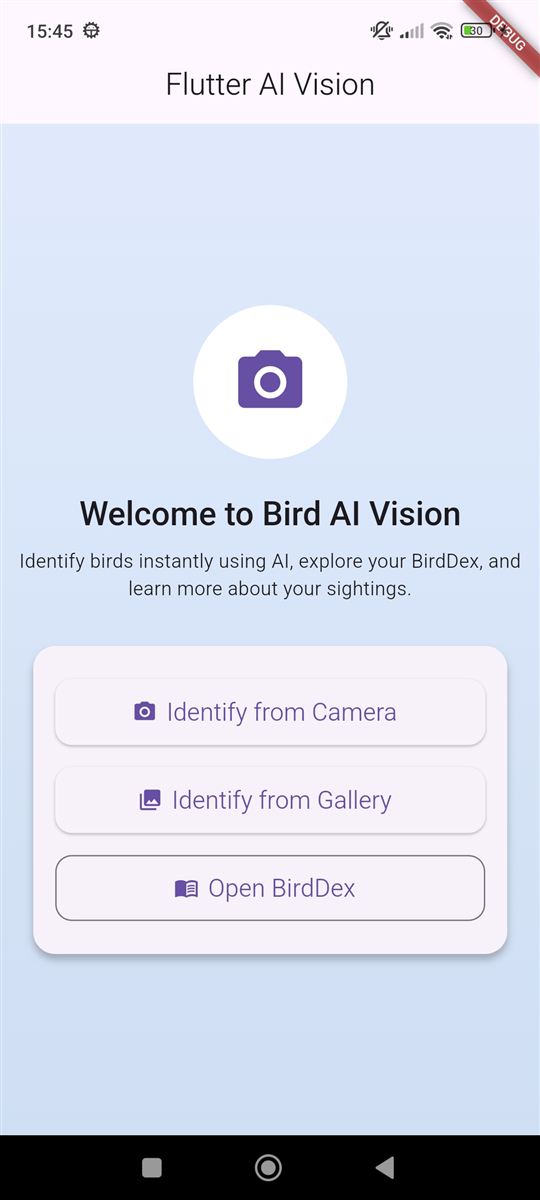
BirdDex turns bird-watching into a collection game. Take a photo of a bird and get an instant species ID with field-guide details and its real call, then collect it in your own BirdDex. It combines a vision-capable LLM with public biodiversity data (Wikipedia and Xeno-canto) and on-device storage, on Android and iOS.
How it works
- 1Capture
Take a photo with the camera or pick one from the gallery.
- 2Identify
The image is sent to GPT-4o mini with a prompt that forces a strict JSON response, so the output can be parsed reliably.
- 3Validate
The JSON is parsed and checked; malformed or partial replies become typed errors or safe defaults instead of crashes.
- 4Enrich
A reference photo comes from the Wikipedia API and a real bird call from Xeno-canto, both best-effort.
- 5Collect
The sighting is saved to Hive on the device and added to the BirdDex collection grid.
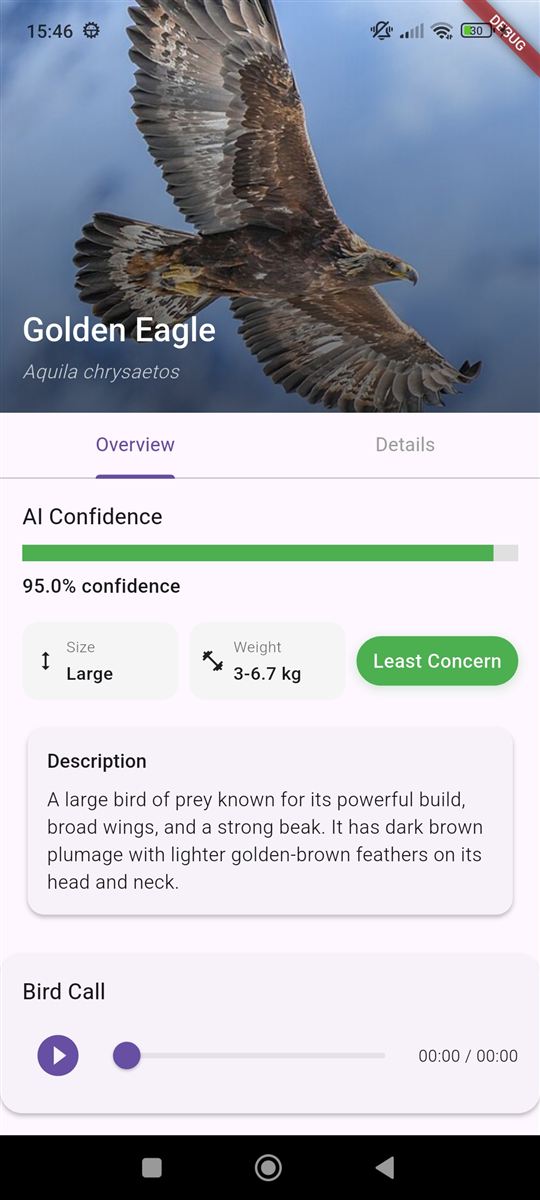
- Common and scientific name, confidence score, description, habitat, diet, IUCN status, size and weight
- Animated, colour-coded confidence bar and a conservation-status badge
- Bird call player with play/pause and a seekable progress slider
- Favorites and personal notes per species, stored offline
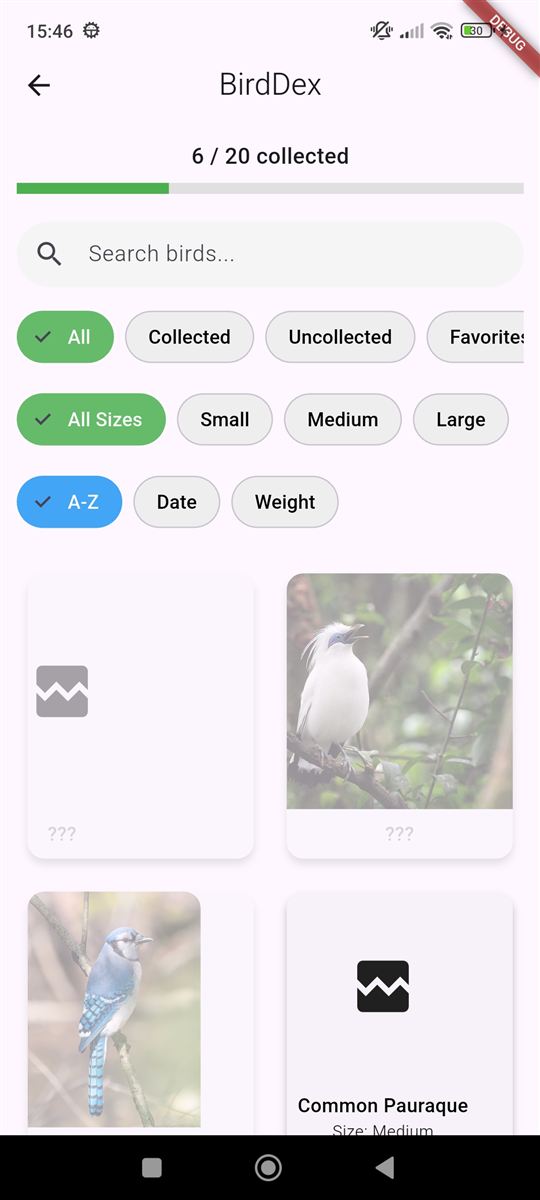
- Seed catalogue of species (including Portuguese names); unfound species show as “???”
- Progress bar of collected species
- Search by common or scientific name
- Filter by collected, uncollected, favorites and size; sort by name, date or weight
Design decisions
The prompt pins the model to a fixed JSON schema, and the client defends against bad replies, so the UI never crashes on model output.
Wikipedia images and Xeno-canto audio are optional enrichments; if they fail, the UI shows a placeholder instead of blocking the identification.
If there is no recording for the exact species, the app retries by genus before giving up.
Collection, favorites and notes live in separate Hive boxes, so they work without a connection and stay independent.
Screens, services that own every network call, and a persistence layer, so each concern can be changed or tested in isolation.
API keys are read from a git-ignored .env file.
- Move the OpenAI call behind a small backend proxy so no key ships with the app
- On-device identification with a TensorFlow Lite model, for offline use and lower cost
- Riverpod or Bloc state management and wider test coverage
- Location tagging and a sightings map
- In-app language switching using the Portuguese names already in the catalogue